


Turn visitors into buyers with these proven homepage strategies
Your eCommerce homepage isn’t just a digital front door — it’s your best-performing salesperson. It needs to grab attention, build trust, and guide customers toward a purchase — all within seconds.
In this tutorial, you’ll learn how to design a homepage that converts, even if you’re not a designer or developer.
Why Your Homepage Matters
Your homepage is often:
- The first impression of your brand
- A hub for navigation and exploration
- A trust signal that tells visitors, “This store is legit.”
1. Start with a Clear Value Proposition
What do you sell, and why should someone care?
This needs to be obvious in the first 3–5 seconds.
Do this:
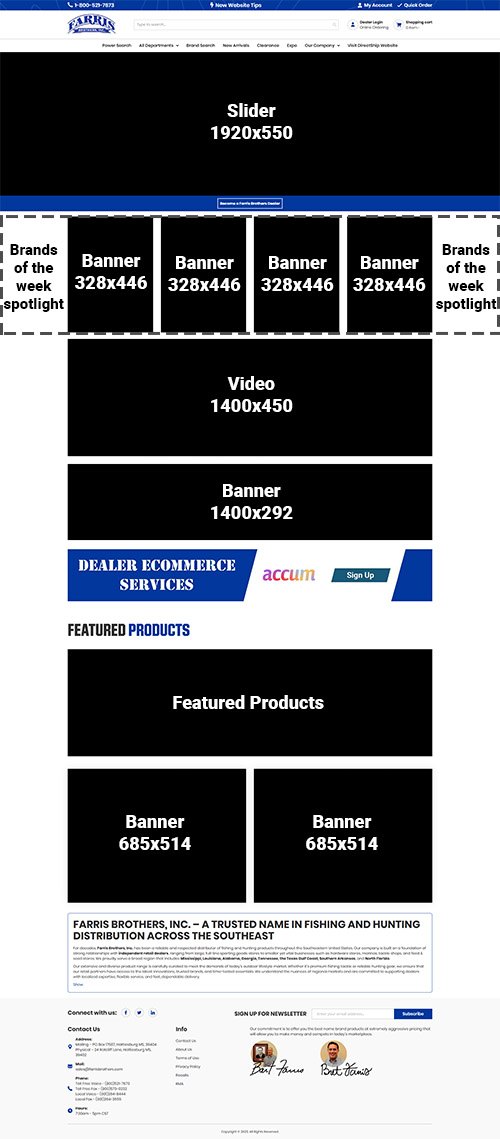
Add a headline and subheading that clearly explain your unique selling proposition (USP)
Include:
- A call-to-action (CTA) button: Shop Now, View Collection, etc.
- A hero image or video that shows your product in use
2. Use High-Quality Visuals
People don’t read, they scan. Great images stop the scroll.
Best practices:
- Use clean, professional product photography
- Feature lifestyle images that show the product in context
- Avoid clutter — white space is your friend
3. Simplify Navigation
Your homepage should guide visitors where to go next.
Key links to include:
- Shop All / Collections
- Bestsellers
- New Arrivals
- Contact/About Us
- Cart/Login
4. Showcase Social Proof
People trust other people more than they trust you.
Add elements like:
- Customer reviews (star ratings, testimonials)
- UGC (User-generated content) — tagged Instagram photos
- Trust badges (payment security, return policy, etc.)
5. Feature Bestsellers or New Arrivals
Help users discover what’s hot or worth checking out.
Use homepage sections like:
- “Bestselling Products”
- “Editor’s Picks”
- “Just Launched”
Each section should include:
- Product photo
- Name & price
- Add to Cart or View Product button
6. Optimize for Mobile First
Over 70% of eCommerce traffic happens on mobile.
Check your homepage for:
- Fast loading times (under 3 seconds)
- Touch-friendly buttons
- Clear font and spacing
7. Add a Conversion-Ready Footer
Don’t underestimate your footer — it’s where engaged users often look for info.
Include:
- Email signup form (with an incentive!)
- Contact info
- Quick links (FAQs, returns, shipping)
- Social media icons
Final Thoughts
Your homepage should do one job: move visitors deeper into your site.
Whether it’s to your product pages, collections, or signup form — every element should drive action.
Don’t aim for “pretty.” Aim for purposeful.
Test. Improve. Repeat.
Visit Accum today!